
On November 6, GitHub let you manage Copilot code review settings through the REST and GraphQL APIs, and made @GitHub in Slack and Teams generally available.
GitHub shipped two items on November 6 about how teams work together. You can now read and change Copilot code review settings through an API, and @GitHub in Slack and Teams, which turns a conversation into code, is generally available.
| Copilot code review API | Nov 6 | Manage review settings by API from enterprise down to a repository, and a more compact review overview |
| @GitHub in Slack and Teams | Nov 6 | Investigate bugs and create issues and pull requests from a conversation |
Copilot code review: API management and overview updates (November 6). You can now manage Copilot code review settings through the REST and GraphQL APIs, from enterprise policy down to individual repositories. It is available on Copilot Pro, Pro+, Max, Business, and Enterprise. You could already request reviews, choose their effort level, and get information back through the REST API, and now you can also do the following.
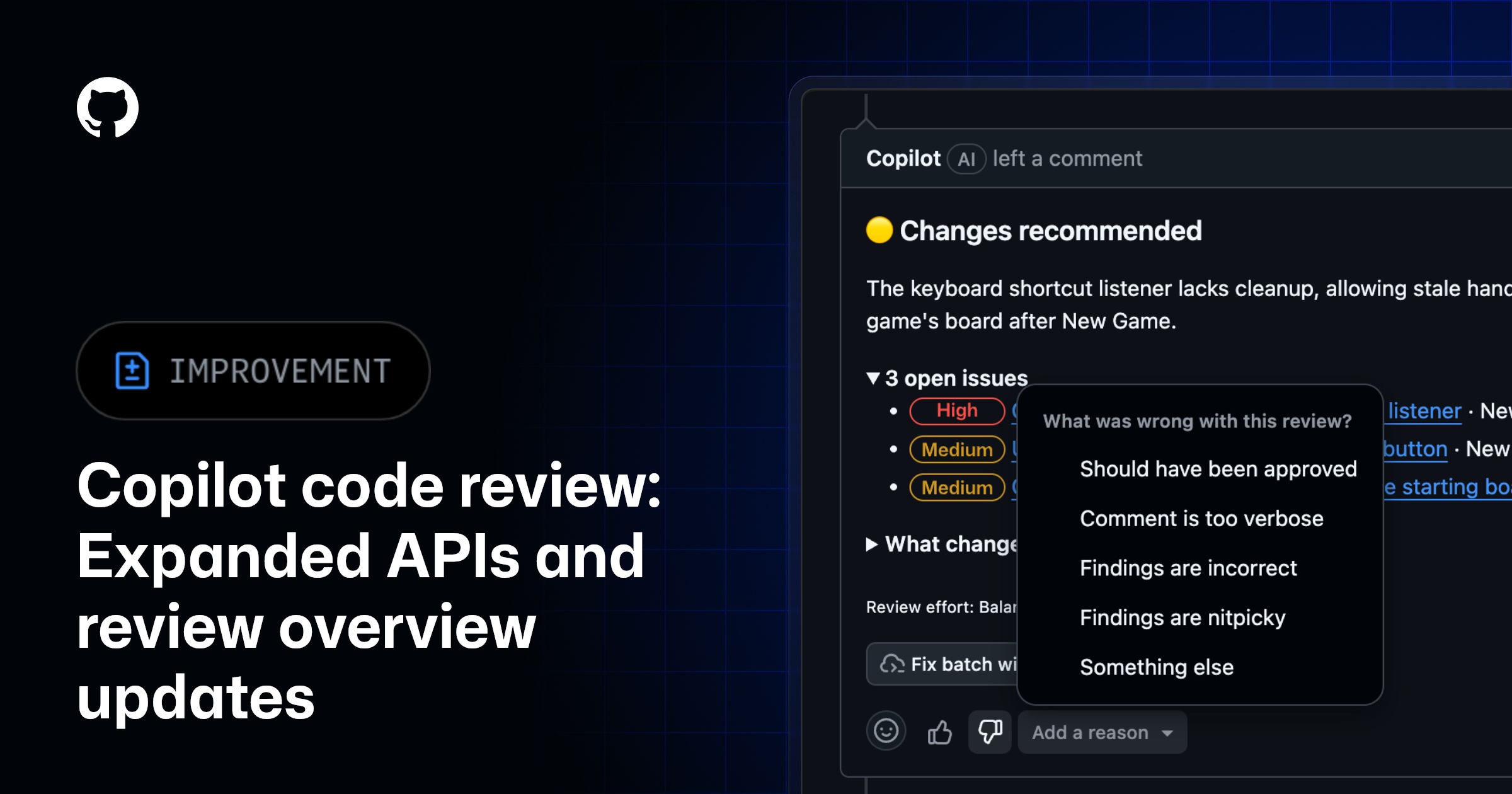
Image: GitHub Changelog
You can identify Copilot's reviews and comments through explicit attribution fields, see the review effort a review used when that metadata is available, and see which skills, MCP servers, and custom instructions Copilot reported as sources for a comment. Settings are split by role.
| Enterprise administrators | Enable or disable code review for all organizations, or leave the choice to organization administrators. Settings the enterprise manages cannot be overridden |
| Organization administrators | Manage code review enablement, the default review effort, and the runner configuration |
| Repository administrators | Manage review effort and whether reviews use custom instructions and MCP tools |
There are token limits. The enterprise and organization settings endpoints, including the organization runner endpoint, do not support GitHub Apps or fine-grained personal access tokens. The repository settings endpoints support both, with Administration read permission to read settings and write permission to update them. Classic personal access tokens need repository administrator access.
The review overview is more compact too. New overviews keep your findings together at the top, move the review effort and any surveys into a compact footer, and put skipped and content-excluded files into one "Files not reviewed" section with filenames and linked exclusion reasons. Empty sections are left out and long lists show an overflow count. After a thumbs-down you can pick a reason, and the update also includes fixes for billing, automatic reviews, and reliability.
@GitHub in Slack and Teams is generally available (November 6). In a conversation, you can have @GitHub investigate bugs, create issues, implement changes, and open pull requests, without leaving the conversation.
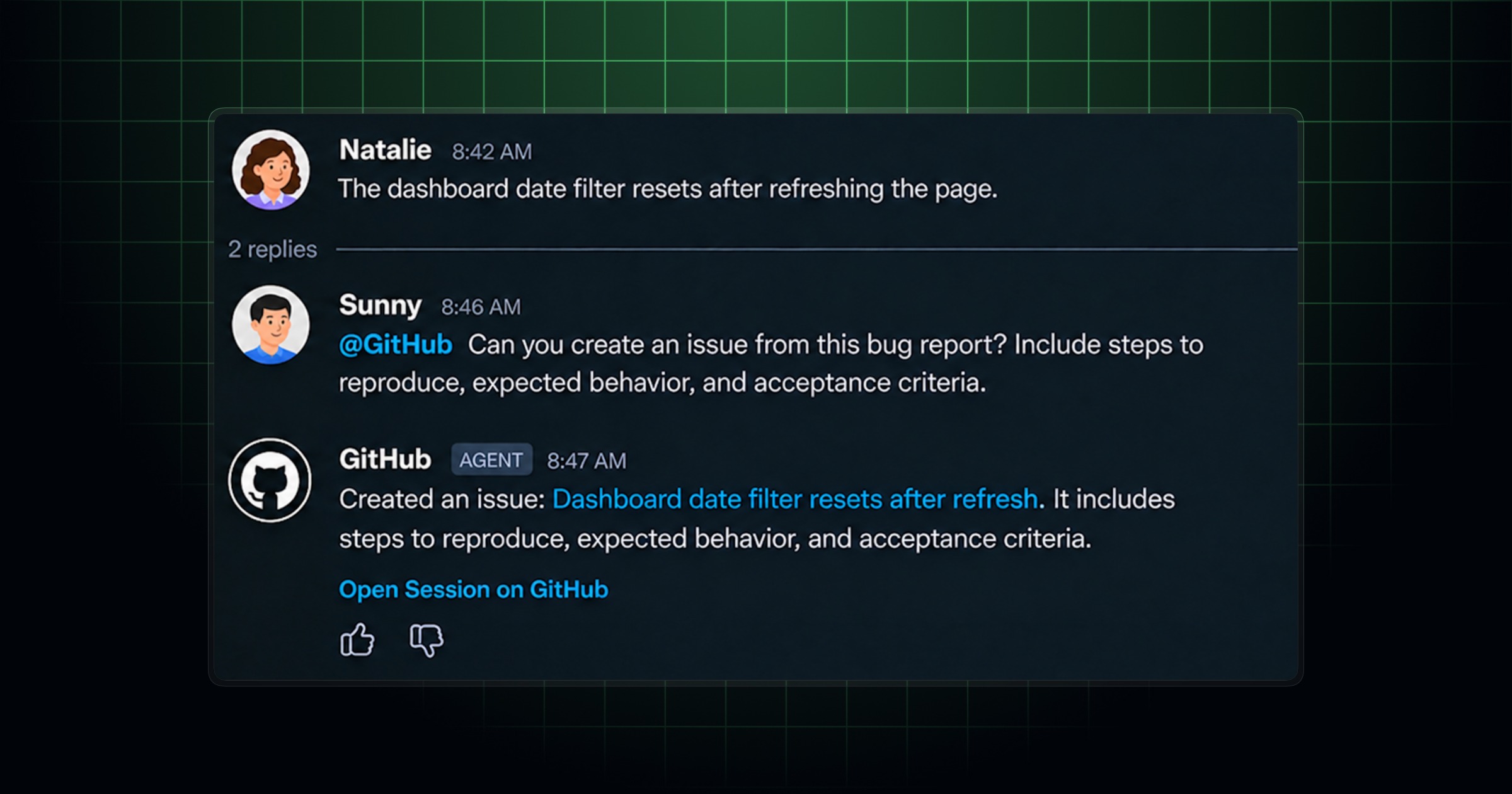
Image: GitHub Changelog
Teams gets Canvas, where you review implementation plans, code changes, and previews next to the conversation, and keep talking with teammates while you refine the work. Onboarding has fewer steps: @GitHub now identifies the repository from your message and starts your session without asking you to select it again, and getting started is easier when you are not signed in, have no default repository, want to switch repositories, or need app access. An issue that could prevent responses to follow-up messages is fixed.
GitHub in Slack or Teams
- Request → Repository
- Repository → Work
- Work → Result
Issues and pull requests created by @GitHub now say "Created from a Slack/Teams conversation with @username" in their description, a trace of who started the work and where.
Both items put team rules around how agents work. With the settings API, an organization can script review effort and custom-instruction use, and the source fields record which skills and MCP servers backed a comment. One caveat is that the enterprise and organization endpoints take neither GitHub Apps nor fine-grained tokens, so token permissions are the first thing to work out before building automation. I like that @GitHub leaves an attribution line, because it means a change that started in chat can be traced in the repository.
- Copilot code review: API management and review overview updates, GitHub Changelog
- GitHub in Slack and Teams is generally available and more, GitHub Changelog