
Two Google apps added an element that keeps people on the screen they are on. The Gemini Android camera is now a bottom sheet inside the conversation, and Google Health 5.13 shows an automatically tracked workout as a card on the Today screen. The look of that card has not been shown yet.
Two Google apps changed in a similar direction in the same week. Both keep the screen the user was looking at and place the next action on top of it.
| Gemini Android app | The camera for adding a photo to a prompt went from a full-screen viewfinder to a bottom sheet inside the conversation | Beta and stable, version 17.76 and later. The design reached the iOS app first |
| Google Health 5.13 | A progress card appears on the Today screen while a device tracks a workout automatically | Android and iOS, staged rollout over a week |
The November 19 post covered features that dropped out of the tab bar, the November 20 post covered where an AI button was added, and the November 22 post covered tab structures in chat apps. All three were about which destination a feature lives in. This post looks at two elements that do not move the user anywhere and sit on top of the current screen: a sheet and a card.
Image: 9to5Google
To add a photo to a prompt in the Gemini app, you open the camera from the + menu in the prompt box. Until now that opened a full-screen viewfinder. The whole screen became the camera, so the conversation you had just been reading was out of sight.
According to 9to5Google, that screen has not gone away. Opening the camera from the Gemini overlay, which floats above other apps, still shows the full-screen viewfinder.
Image: 9to5Google
The new camera opens as a bottom sheet on the Gemini home screen or inside a conversation. The sheet takes roughly the lower half of the screen, and the screen you were on stays above it.
- Open the + menu in the prompt box → Choose the camera
- Choose the camera → Drag the sheet up
- Drag the sheet up → Take the photo
Dragging the sheet up expands the viewfinder to most of the screen. 9to5Google notes that the expanded view is nearly edge to edge and extends behind the system navigation bar.
| Drag the sheet up | The viewfinder grows to most of the screen |
| Tap the three-dot button | Flash and front-camera buttons appear |
| Tap the back button | The camera closes |
| Swipe the sheet down | The camera closes |
Image: 9to5Google
The design reached the Gemini iOS app first. On Android it is widely rolled out in beta and stable, version 17.76 and later. If the new camera does not show up, 9to5Google suggests force stopping the Google app and opening it again.
Google has not published an announcement for this change. The Gemini part of this post rests on the November 21 article by Abner Li of 9to5Google, who confirmed the change in the app.
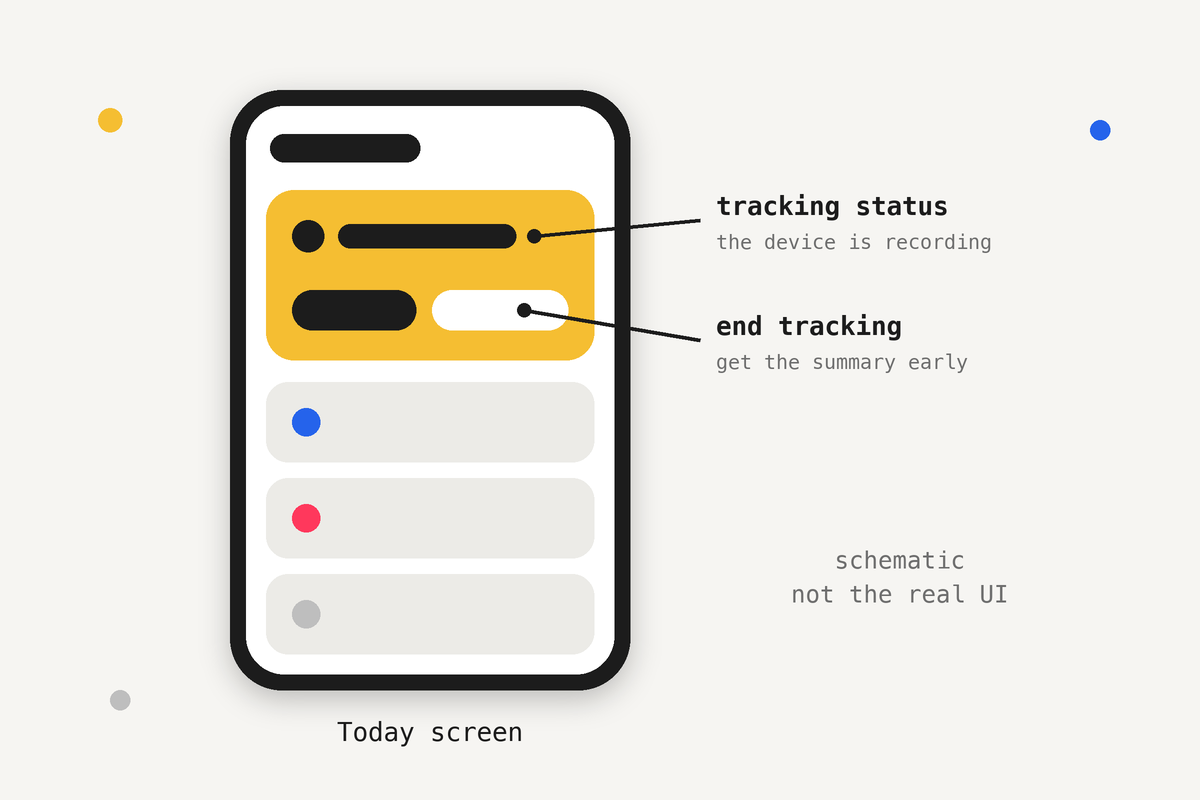
The Google Health 5.13 changelog has an item for in-progress automatic activity detection. When a Pixel Watch, Fitbit Air or Fitbit Edge tracks a workout automatically, a progress card appears on the Today screen of the mobile app. The card tells you that the device is tracking the exercise right now. From the card you can end tracking whenever you want and get the summary.
Ben Schoon of 9to5Google gave the background in a November 20 article. The Fitbit Air has no screen, so during a workout there was nowhere to see whether it was being recorded.
What the card looks like has not been shown. The changelog is text only, and 9to5Google wrote that it had not seen the card either. The picture below is a schematic drawn from the changelog description, not the real screen.
According to the Google Health Community post, 5.13 ships on Android and iOS together. It rolls out in stages over a week depending on carrier and device, so the day you receive it will vary.
| In-progress automatic activity detection | An automatically tracked workout shows as a card on the Today screen and can be ended there |
| Swimming settings | A default pool length and unit can be set |
| Guided workouts | Supported on Pixel Watch 3, 4 and 5 |
The changelog does not say whether the card shows figures such as heart rate or steps.
| Where it sits | The lower part of the conversation screen | The list on the Today screen |
| What triggers it | The user opens it from the + menu | The device detects a workout automatically |
| What stays visible | The conversation and the prompt being typed | The other cards on the Today screen |
| What you can do | Shoot, flash, switch to the front camera | Check tracking and end tracking |
| How it closes | Swipe down or the back button | Not in the changelog |
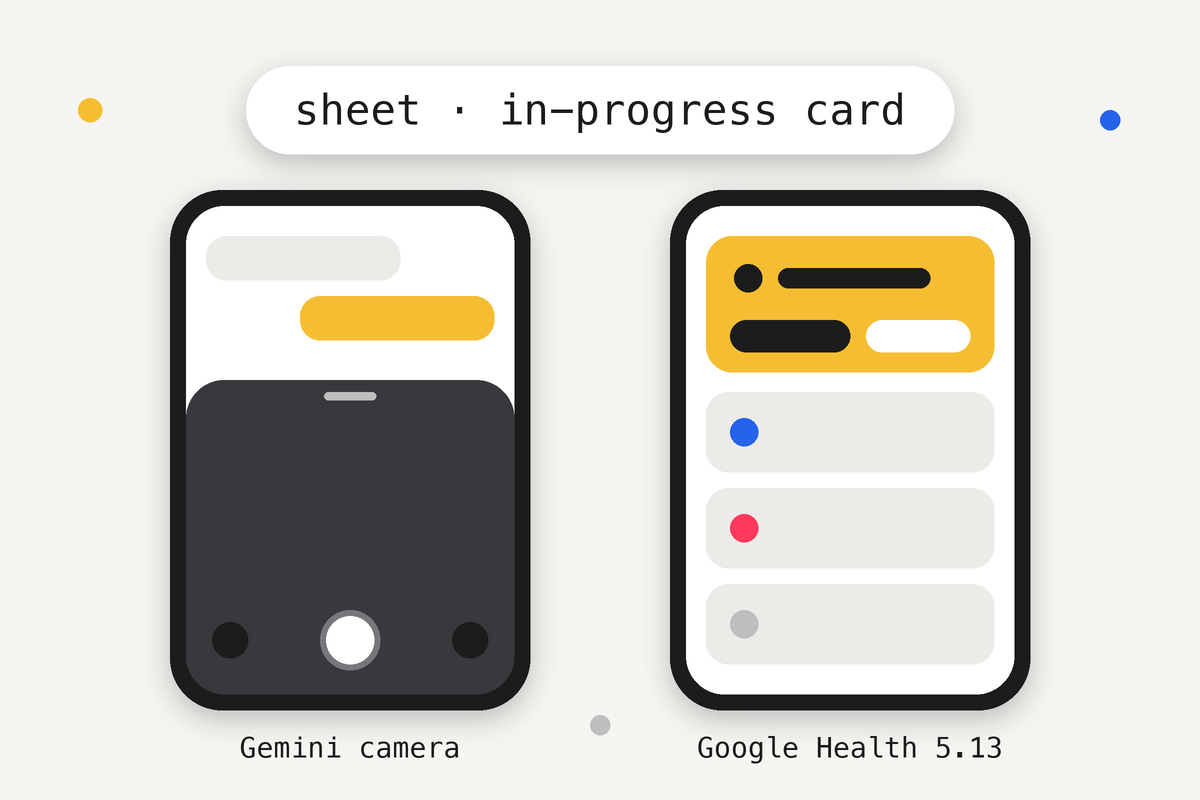
Attaching one photo is a short task you come back from. Giving it the whole screen leaves the user to remember what the photo was for. A sheet keeps the conversation on screen, so that cost goes away. Anyone who needs a larger viewfinder can drag the sheet up.
The progress card is a different case. Automatic workout tracking is something the device started, not the user. The first screen of the app therefore needs the status and a way to end it in the same place, or the user will neither notice nor stop it. People who wear the screenless Fitbit Air check tracking on this card during a workout.
If you build an app alone or in a small team, two checks are worth making. One is whether any secondary task you open full screen has to be done while looking at the original screen. The other is whether work that starts without a tap from the user shows its progress and a stop button.
- 9to5GoogleGemini app rolls out very slick camera redesign on Android (opens in a new tab)The article that confirmed the new camera in the Gemini Android app
- 9to5GoogleGoogle Health update fixes my biggest Fitbit Air complaint (opens in a new tab)The progress card and the Fitbit Air background
- Google Health CommunityGoogle Health app 5.13 update (opens in a new tab)The 5.13 changelog and how it rolls out