
Two AI apps built around one chat screen moved to a bottom tab bar in the same week. The Claude mobile app sets four tabs: Chat, Projects, Code and Artifacts. The ChatGPT mobile app splits Home from Explore and lets people pin tools to the tab bar. Korea is not in the first ChatGPT rollout.
Two AI apps that used to be one chat screen added a bottom tab bar in the same week. Both give a place of their own to work that continues outside a conversation, such as projects, code sessions and images. They differ in who decides the tabs.
| Claude mobile app | The bottom bar is set to four tabs: Chat, Projects, Code, Artifacts | Rolling out on iOS and Android from November 21 |
| ChatGPT mobile app | Home and Explore are separate, and frequently used tools can be pinned to the tab bar | Shown on November 19, rolling out to a limited group first |
Our November 19 post covered features that were left out of a tab bar, and the November 20 post covered where a single AI button was added to an existing app. This post compares two ways to arrange tabs once a chat app has several destinations for work.
Image: OpenAI, as published by Digital Trends
Anthropic has not published an official post about the Claude redesign. This section relies on a November 21 article by Sulat that collects X posts from Anthropic designers and the public launch video.
According to the article, the new Claude app has four tabs at the bottom: Chat, Projects, Code and Artifacts. Sliding across the bar switches tabs, and a long press on a tab opens a list of recent items above the bar. In the launch video, a long press on Projects showed a few recent projects followed by a New project row.
| Tap a tab | Moves to Chat, Projects, Code or Artifacts |
| Slide across the bar | Switches to the neighboring tab |
| Long press a tab | Opens that tab's recent items above the tab bar |
The sidebar and the + menu changed as well. Designer Khalil Cader said search moved to the bottom of the sidebar so it is easier to reach with a thumb. Daniel Destefanis, a product designer at Anthropic, said the team wanted a design that better supported code, projects and artifacts on mobile.
The Code tab is not a place where code runs on the phone. Anthropic's documentation describes the Claude app as a client for Claude Code sessions. The work itself runs in the cloud or on the user's computer.
Pran, who designs Claude Code, said you pick one of your devices on the home screen and a session starts on it.
- Pick a device on the home screen → The session starts on that device
- The session starts on that device → Follow it in the Code tab
| Cloud sessions and projects | In the cloud | Keeps running |
| Remote Control | On the user's computer | The computer has to stay on |
| Dispatch | In the desktop app on the user's computer | The computer has to stay on |
In the launch video, the Code tab shows a device selector and a list of recent sessions. Each session carries a repository, a branch, a count of changed lines and a state that says it is waiting for a reply. Projects is split into Pinned and All, and threads inside a project are grouped into those waiting on the user and those that are idle. Sulat notes that the names and numbers in the video are sample data. Details may differ on a real account.
OpenAI's help article says the new ChatGPT mobile experience has Home and Explore at the bottom of the app. Home is where you start a chat or reopen a past one. Explore holds tools such as Projects and Images. Accounts that can use a dot get a separate dot tab.
| Home | House | Starts a chat and reopens past chats |
| dot | The dot's face | Opens your conversation with your dot, on accounts that have one |
| Explore | Four circles | Finds tools such as Projects and Images |
The grid in the official preview that Digital Trends described holds nine items: Space, Projects, Images, Scheduled, Codex, Plugins, Finance, Health and Sites. Thibault Sottiaux, who works on Codex and ChatGPT at OpenAI, said the new experience makes frequently used features easier to get to and helps people discover what ChatGPT can do.
Image: OpenAI Help Center
In ChatGPT, the user fills the space between Home and Explore. Touch and hold a tool in Explore, choose Pin to tab bar, and the tool appears in the bar. A line above the Explore grid tells people to tap and hold an item to pin it.
| Pin a tool | Touch and hold the tool in Explore, then choose Pin to tab bar |
| When the bar is full | Pick a shortcut to replace |
| Unpin | Touch and hold the icon in the tab bar, then choose Unpin from tab bar. The tool stays in Explore |
| Go back to the classic design | Turn off New ChatGPT design in Settings. On Android, restart the app |
The help article does not say how many tools the tab bar can hold.

Image: OpenAI Help Center
Both apps are rolling out in stages, so the screen can differ from one account to another. The new ChatGPT design reaches a narrower group, and Korea is excluded from the first rollout.
| Who gets it | All users, in stages | Eligible adults on ChatGPT Pro and a small group on Plus |
| Excluded regions | None mentioned in the article | The European Economic Area (including the EU), the UK, Switzerland and Korea |
| Devices | iOS and Android | iPhone and Android. iPhone SE, iPhone Duo and iPad are not supported yet |
| Note | The Code tab may be missing depending on the plan or organization | If Settings has no New ChatGPT design switch, the account is not included yet |
| Who decides the tabs | The app sets four | The app sets Home and Explore, and the user pins the rest |
| Where chat lives | The Chat tab | Home |
| Where other features are found | Each tab and the + menu | The tool grid in Explore |
| How to reach recent work | Recent items from a long press on a tab | Chat history in the sidebar on Home |
| What a long press does | Opens recent items | Pins to and unpins from the tab bar |
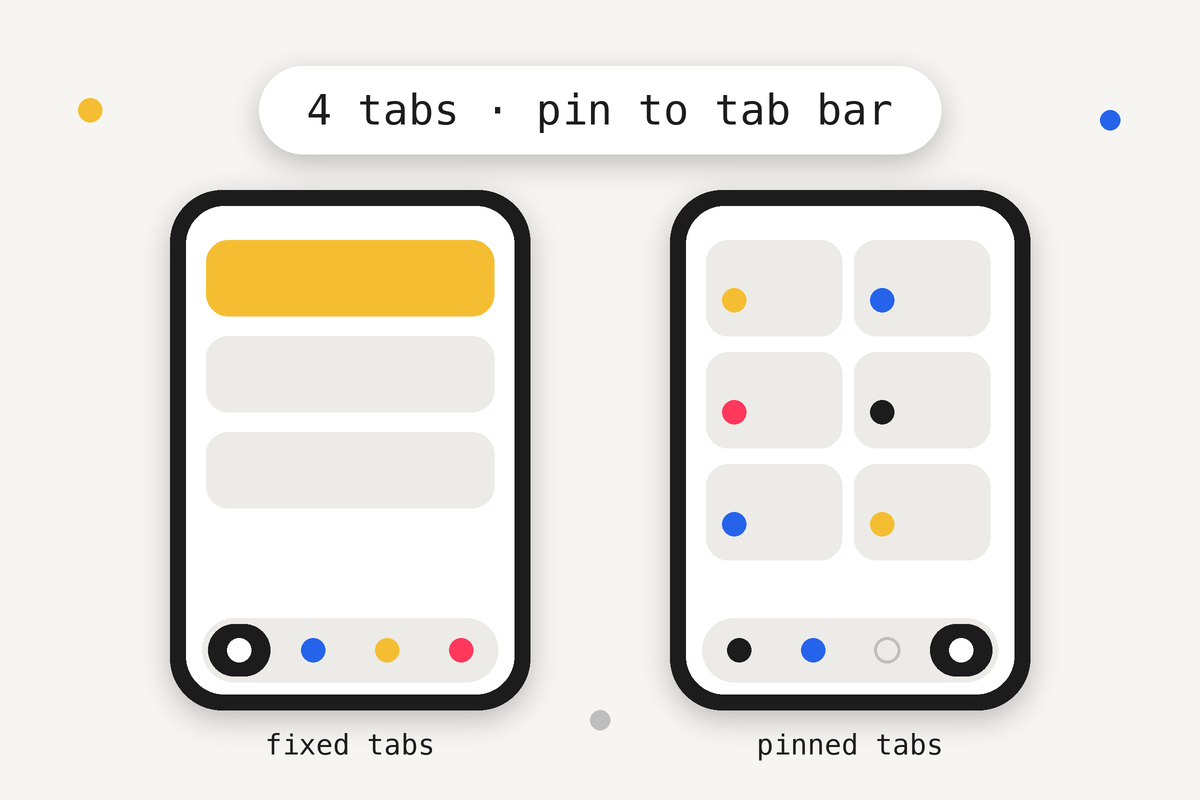
Interpretation: the difference follows from the number of features. Claude has three destinations outside chat, namely projects, code and artifacts, and each has a clear use, so the tabs can be fixed. ChatGPT shows nine tools in the preview alone, and people use different ones. It therefore keeps a separate screen for finding tools and lets the user choose the tabs.
Both apps put functions behind a long press. A long press is not visible on screen, so a first-time user can miss it. ChatGPT places a line of guidance above the grid. We did not find similar guidance for Claude in the public material.
If you build a conversational app alone or in a small team, there is one thing to count before deciding on tabs: how many kinds of work the user has to reopen outside a conversation. With three or four, fixed tabs fit. With more than that, a screen for finding tools plus slots for pinning fits better.
- SulatClaude's new mobile app: four tabs, Code sessions and Projects (opens in a new tab)An article collecting Anthropic designers' X posts and the launch video
- Anthropic docsClaude Code on mobile (opens in a new tab)How Claude Code sessions work from the Claude app
- OpenAI Help CenterUsing the new experience in the ChatGPT mobile app (opens in a new tab)Home, Explore, pinning to the tab bar and availability
- Digital TrendsChatGPT is getting a new look on your phone (opens in a new tab)The official preview and the first rollout group