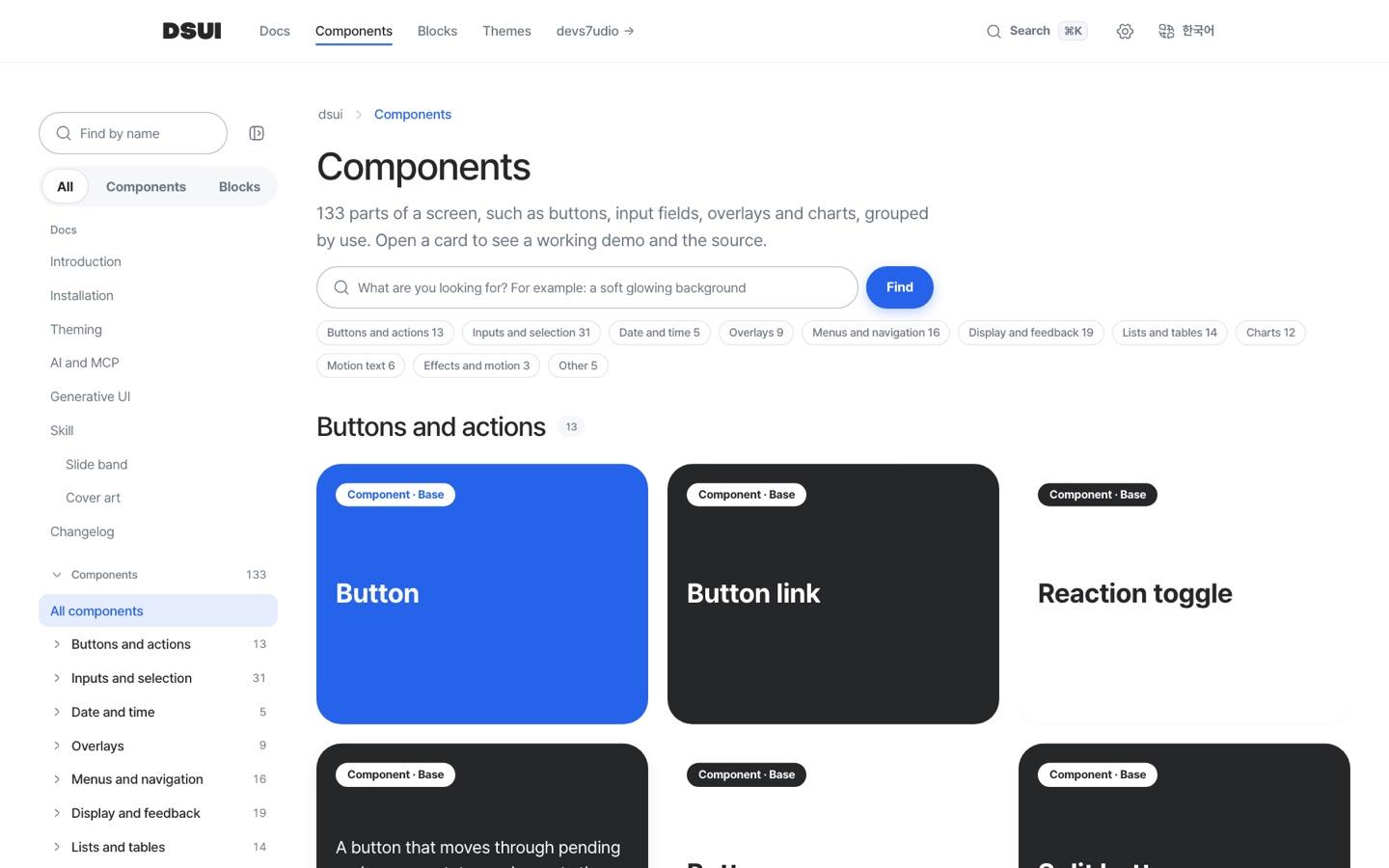
dsui, a design system written for Korean first
A React design system that keeps components, blocks and themes in one place, with demos, docs and an install path. Every devs7udio screen is built on it.
See detailsSelected workApps
An iOS app where you pick a place on the map and see the travel videos creators filmed there, on iOS and the web, now in beta and focused on Korea and Japan. The screens are built on iOS 26 Liquid Glass, and the lucky button bursts with a Metal shader.
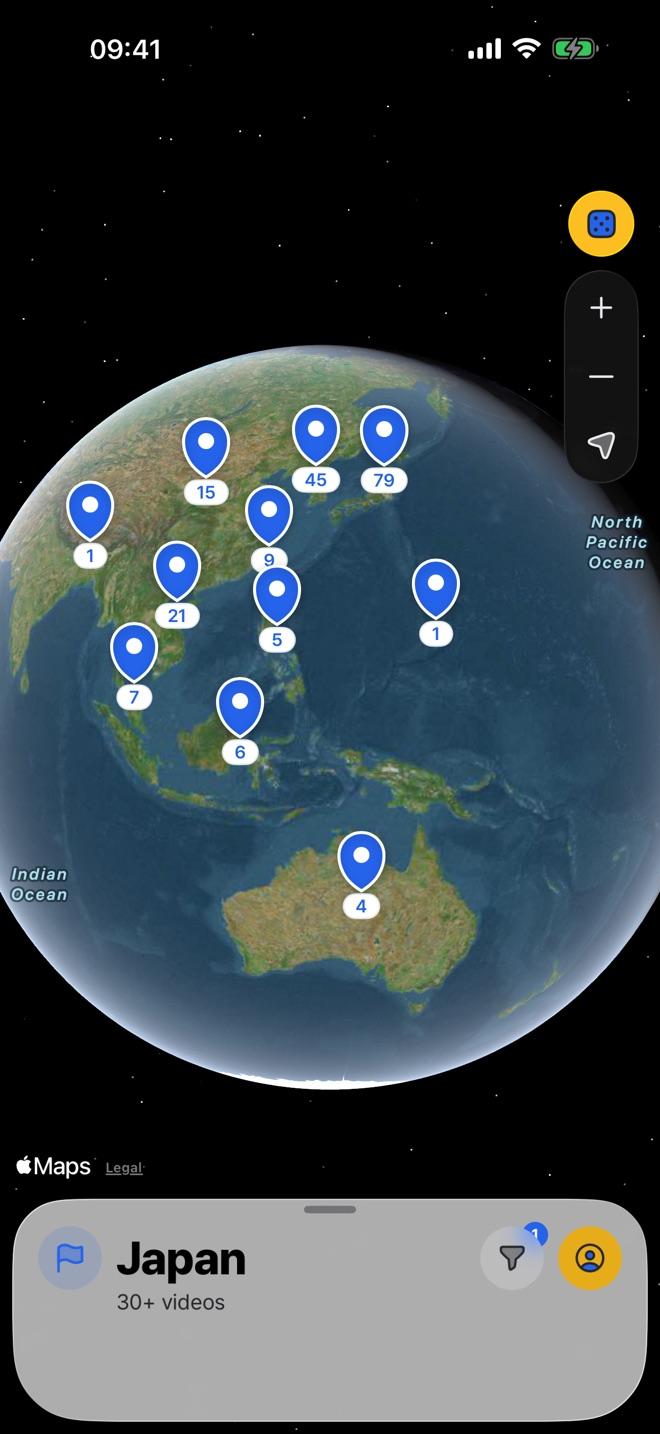
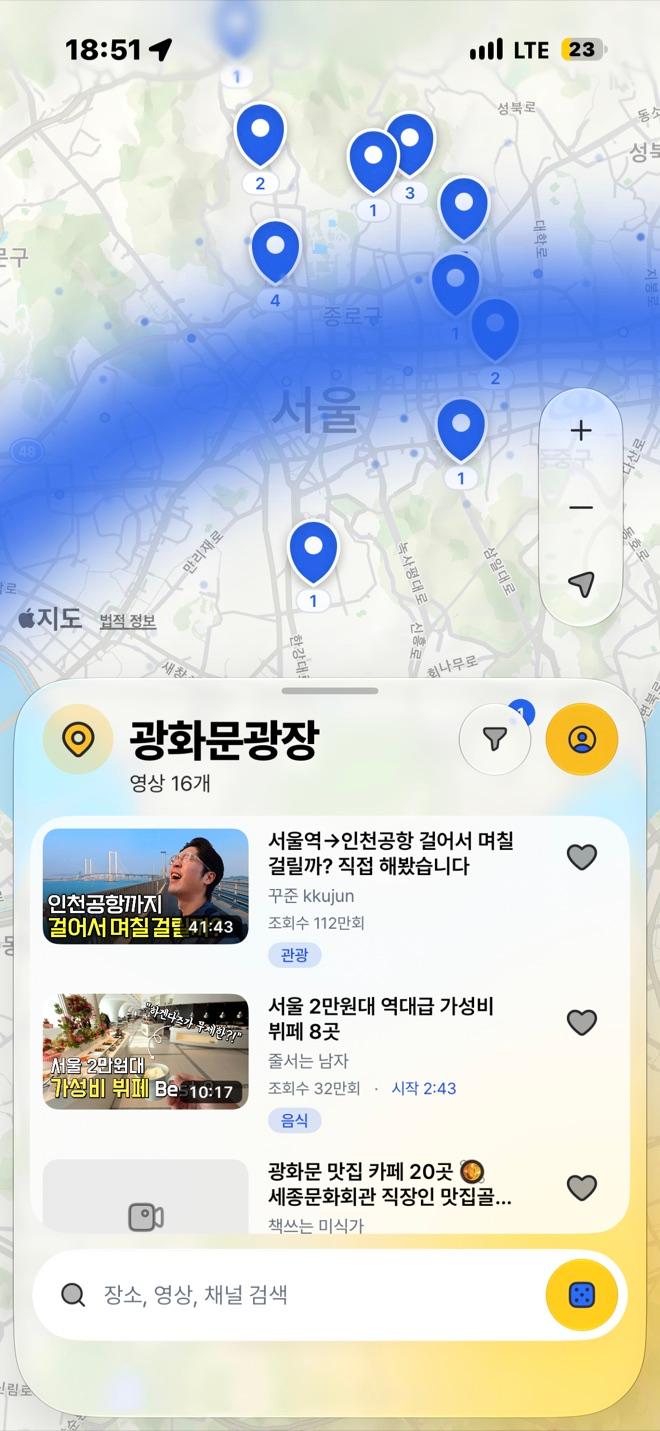
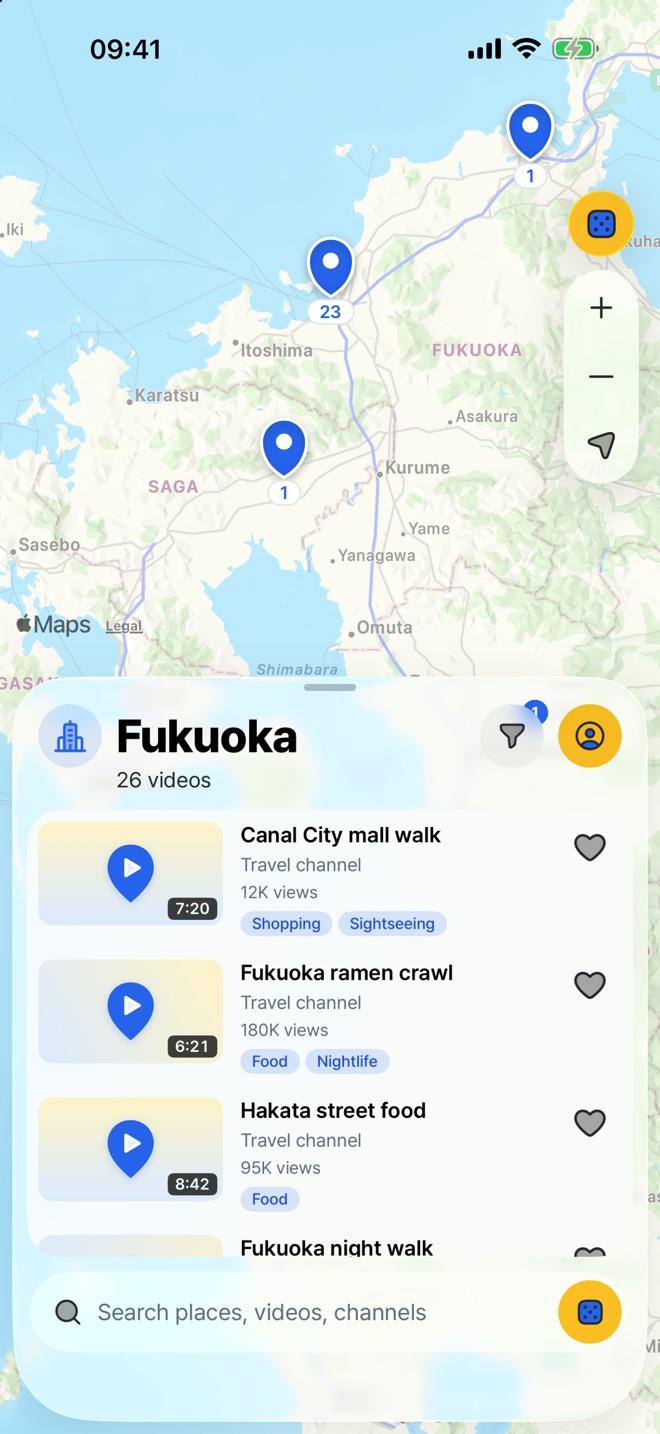

locatube is an app for iPhone and iPad that finds travel videos on a map. The web app is now open too, so you can use the same map in a mobile or desktop browser. One travel video often covers several cities and spots, and you would have to watch from the start to learn whether the place you are headed to appears at all. So we split each video by place and made the videos for the spot you are headed to easy to find on the map.
locatube is in beta. We started with videos from Japan and Vietnam, then changed direction: rather than spread thinly across many countries, we are focusing on Korea and Japan and showing those trips well. Right now Korea and Japan are the only places you can find on the map; markers for Vietnam and the other countries have been taken down. We will open them one by one once collection and review are accurate enough. The web app needs no install and opens right in the browser. An Android app is on the way.
One tap suggests a random travel destination. You get the place together with its top video, so an undecided trip gets a first candidate right away. The burst you see when you tap it is a Metal shader.
While you watch, the app shows place details in the order the YouTuber presents them, naming the place on screen at that point of the video timeline. The version with this feature has cleared Apple's review and is out.
Swipe sideways to move through them.
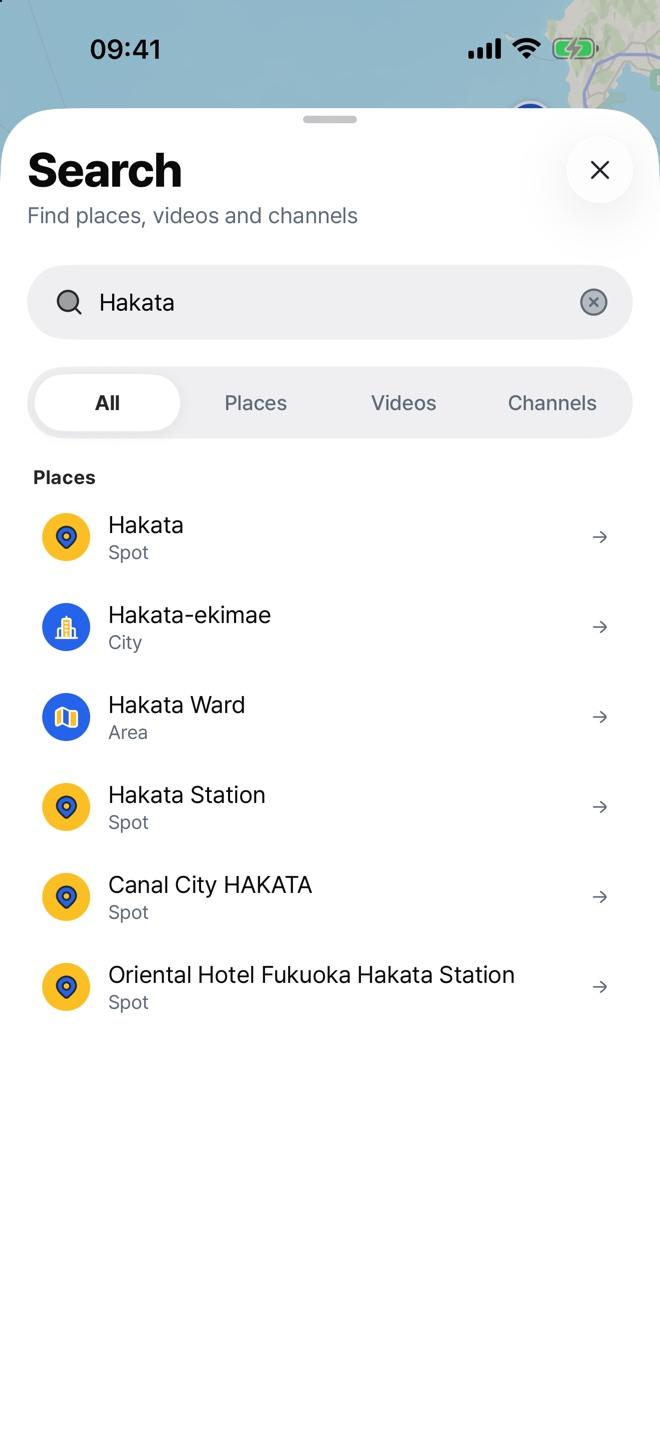
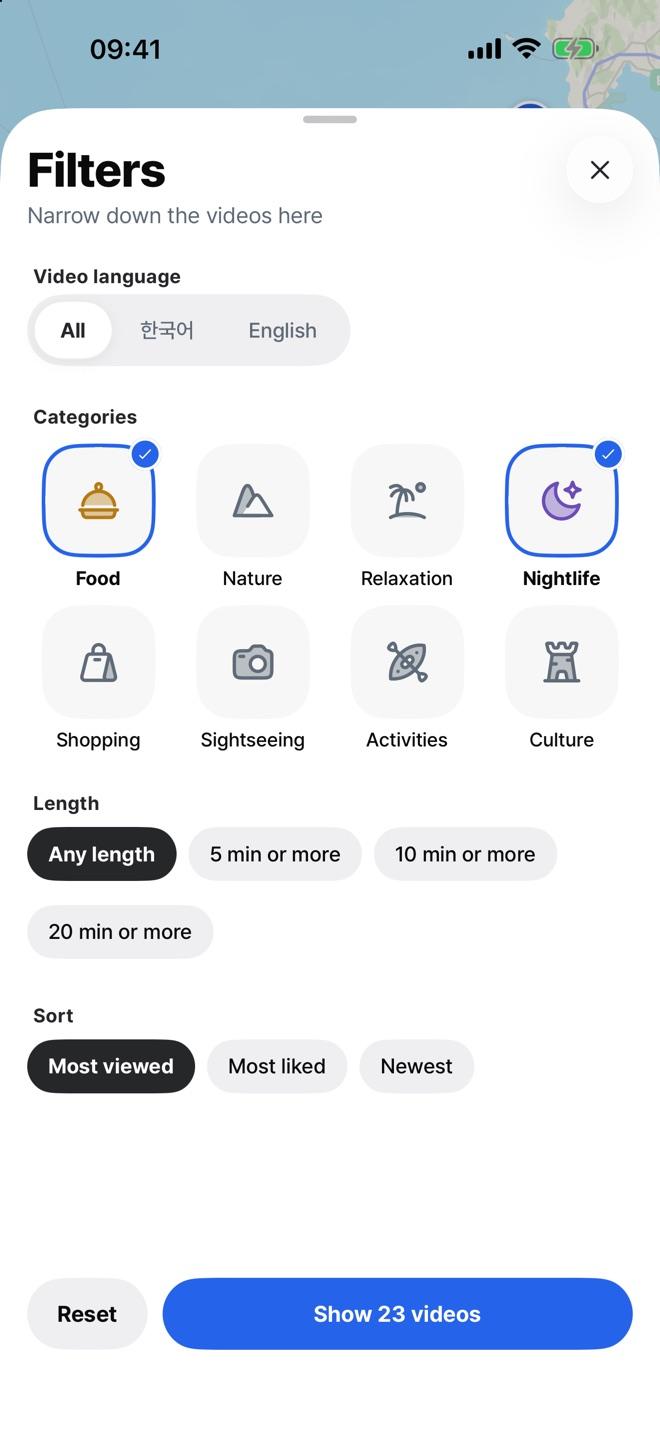
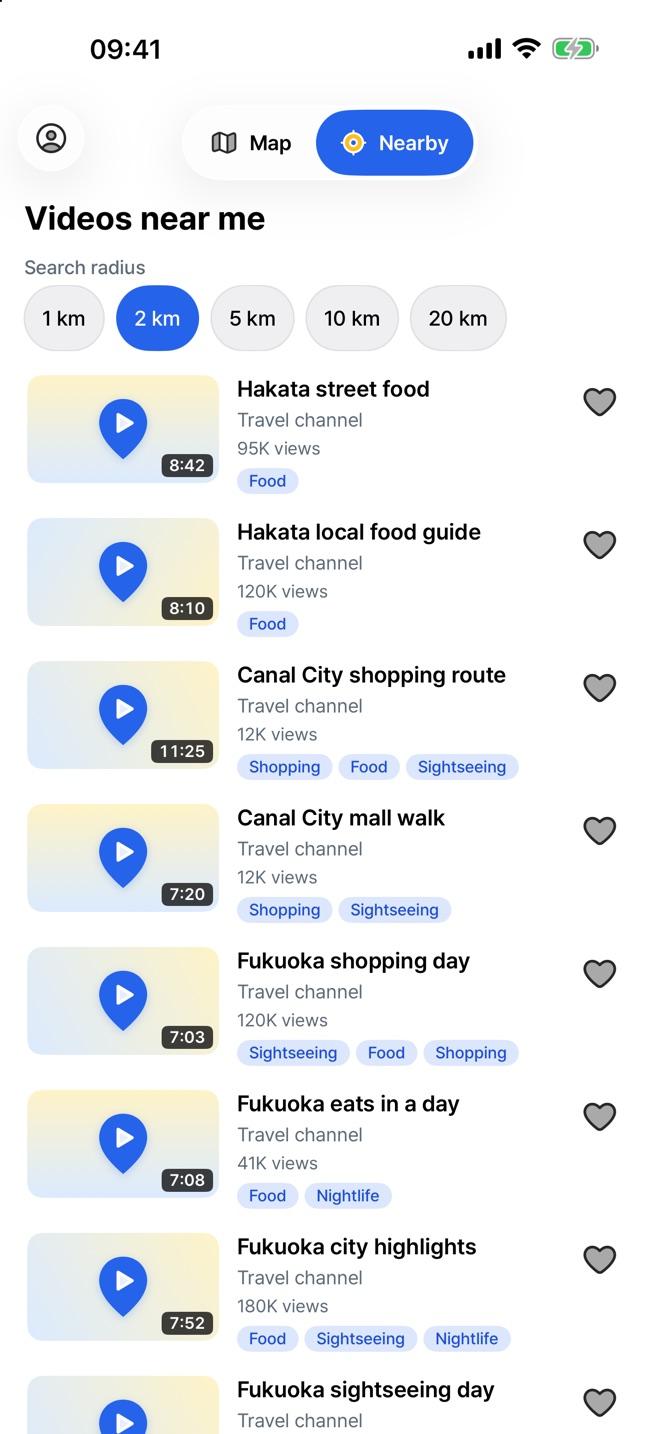
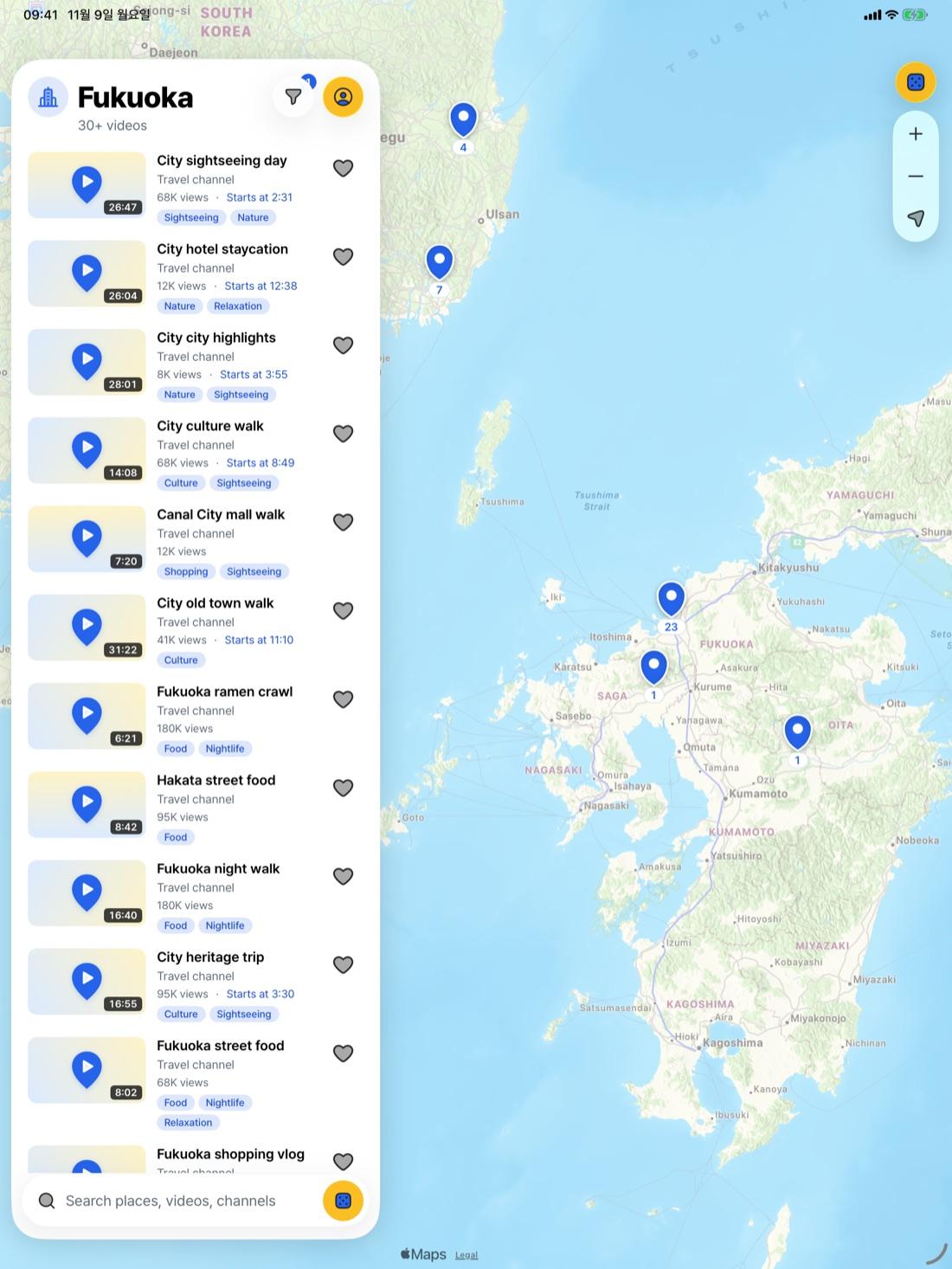
The video sheet that rises over the map, the controls on the map and the search capsule all sit on SwiftUI's glass effect (glassEffect) from iOS 26. The map shows through, and pressable controls react under your finger.
With "Reduce Transparency" or "Increase Contrast" on, glass gives way to a solid surface with an outline. When the sheet is pulled up until it is nearly opaque, the buttons inside turn flat so they never stack on each other.
Tap it and yellow light spreads from the button toward a blue edge, followed by a soft ring and a few sparkles. It is drawn in about 0.9 seconds by a luckyBurst shader (SwiftUI colorEffect) that computes every pixel.
With "Reduce Motion" on, there is no shader, only a 0.35-second fade. On a device that cannot run the shader, a radial gradient stands in.
Move the map to the city you are headed to and see that area's videos in a list. Zoom out and videos group by city. Filter by language, theme and length.
Videos filmed close to where you are, with a radius from 1 km to 20 km. Location is used only when you use this feature, with "While Using the App" permission, and it is not stored.
One tap picks a random suggested destination and its top video.
Tap the heart on videos you like and find them again in your account. The map and videos work without signing in.
It reads place names and locations from public video descriptions and builds the start time for each place. A collection tool written in TypeScript and a Supabase database do this work.
We do not download or re-host videos. If playback is blocked, the app offers "Open in YouTube" instead.
Place names and locations are extracted automatically from descriptions, so some are wrong. The store description says so, and people can report a mistake by email.
There is no advertising SDK and no tracking, and you can delete your account inside the app. Sign-in is Apple and Google, plus Kakao in South Korea.
The app description, privacy policy and the screens for the store come in both languages. The screenshots are based on captures made with real server data.
The colors come straight from the devs7udio design tokens, with yellow and blue as the main colors. On the yellow splash screen a pin drops in and a dotted route keeps flowing. Once the first setup is done, a blue celebration screen appears. With Reduce Motion on, only a still screen and haptics play, and we checked text contrast in dark mode too.
How was this post?
Other work the studio has made.
A React design system that keeps components, blocks and themes in one place, with demos, docs and an install path. Every devs7udio screen is built on it.
See details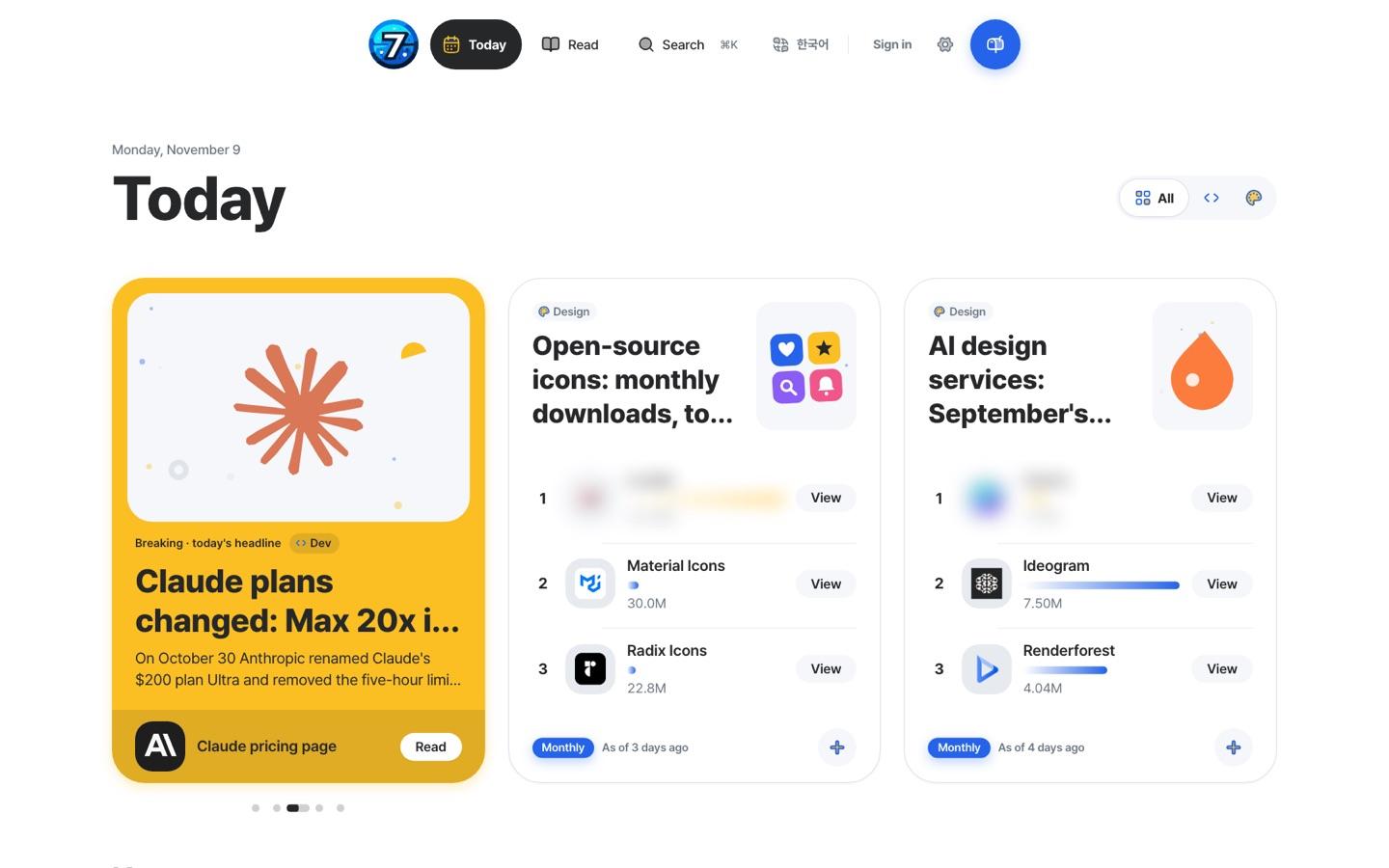
A site where you read what moved in development and design today as news, rankings and trends. The studio introduction and the quote form live here too, and every screen is built with dsui components.
See detailsYou can leave this empty. Tell us whatever you have.